Open what the Inspector can't show.
Browse private fields, nested objects, lists and dictionaries, and go straight to the value you need.
The data browser1 of 3
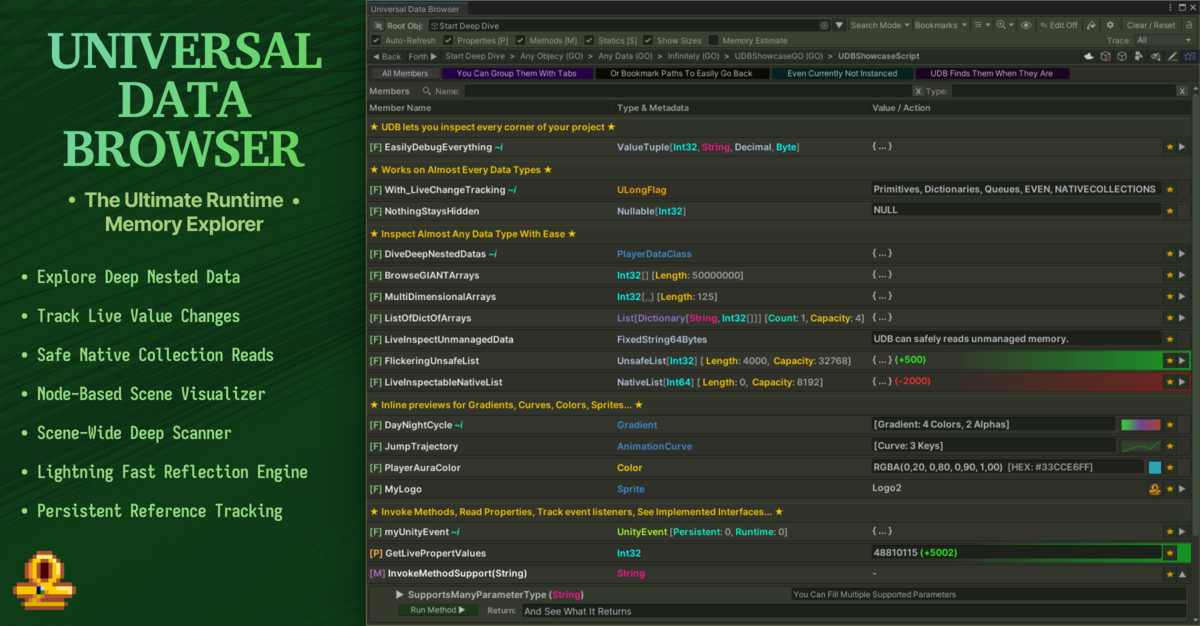
Available on the Unity Asset Store
UDB opens up what the Inspector can't show: private fields, nested lists and dictionaries, and values that change while the game runs. Browse them, edit what's supported, and pin the one you're chasing.
At a glance
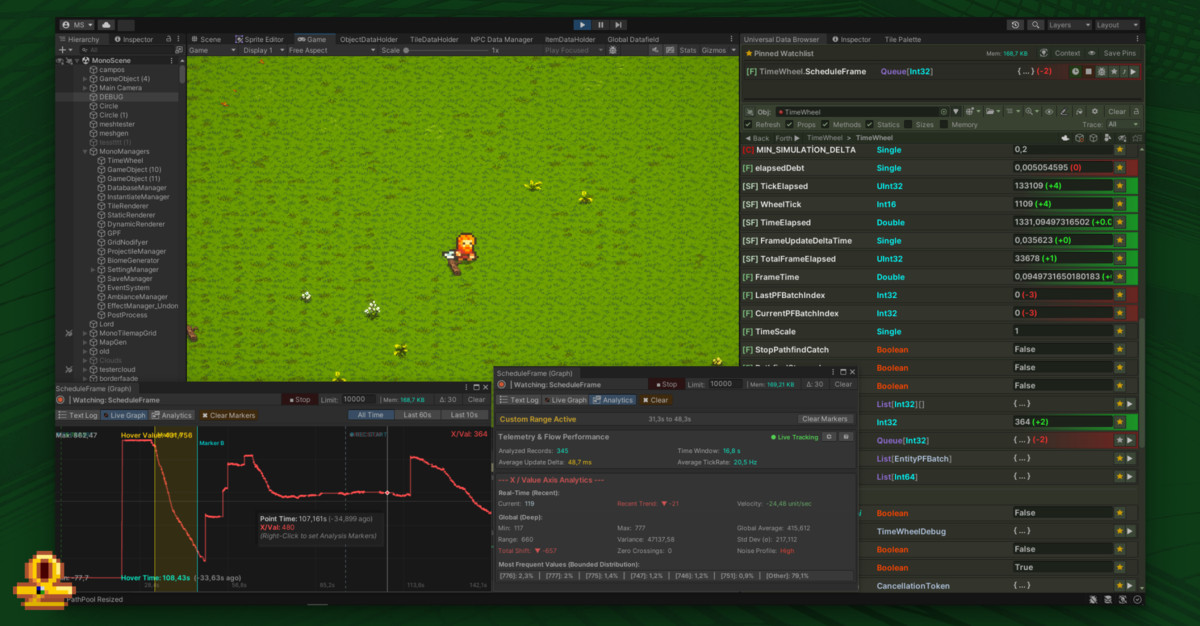
Open the object, find the field, pin it and watch what it does. Bookmark the path and it's waiting for you next time.
Browse private fields, nested objects, lists and dictionaries, and go straight to the value you need.
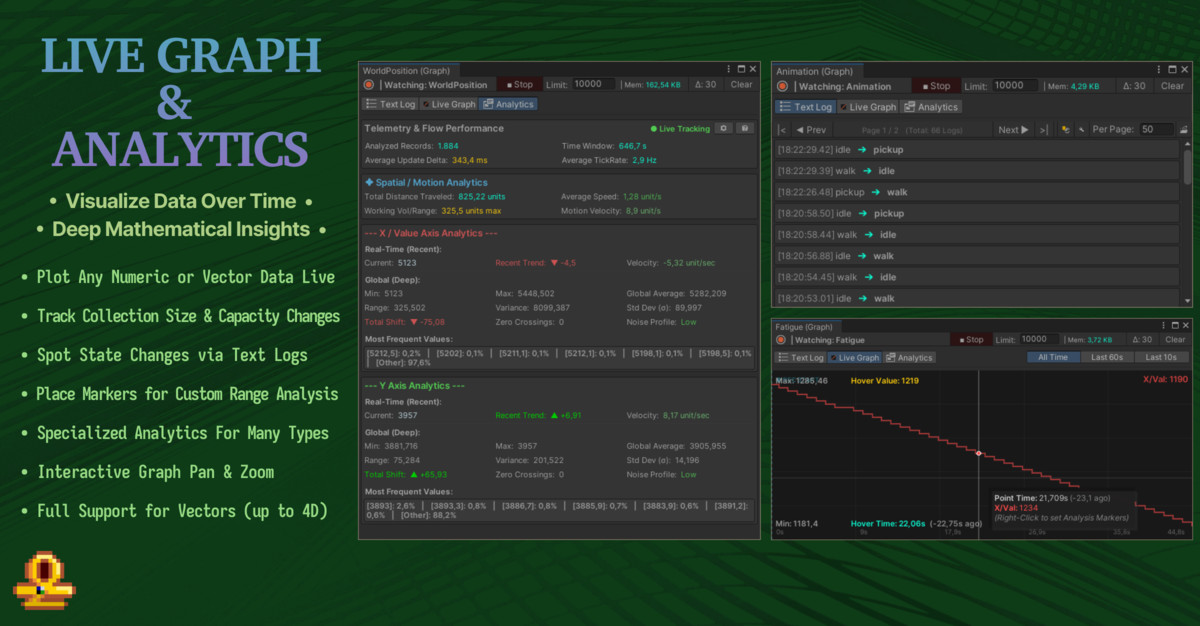
Pin a value, follow its graph, and have the Editor pause when your condition is met.
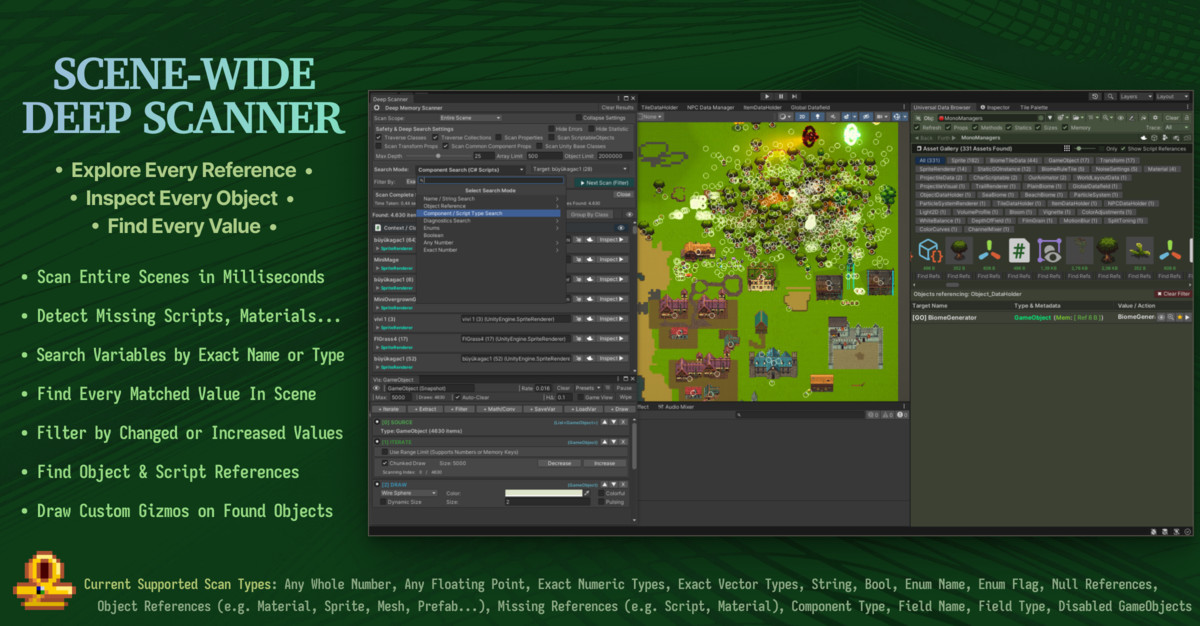
The Deep Scanner hunts through your scene for missing scripts and references.
UDB shows you the data. UQL, now in development, lets you write a question about your game once, save it as a check and run it again. Your development agent can ask the same questions.
Meet Universal Query LanguageWhich enemies have health below zero?
Narrow the search down to the objects and values you're asking about.
Save a one-off investigation as a check you can run again.
Compare what UQL observed and keep the outcome on record.
This is an illustration of the workflow, not a screen recording. UQL is in development and is meant for the full UDB package.
Lite to see UDB work on your own data, the full version for the whole toolkit, and UQL for scripted questions.
See UDB work on your own project: browse and edit your data, and watch the full version's tools run on sample data.
Open your game's data, record how it changes and track down missing references.
A query language for Unity that works on its own: ask about your game's state and keep the answer as a check.
UQL is meant for the full UDB package. The current Asset Store version does not include it.
In the Unity Editor, in Edit Mode and Play Mode. UDB is Editor-only, so none of it ships in your build. It supports Unity 2021.3 and newer on Windows, macOS and Linux, with the Built-in, URP and HDRP render pipelines.
Yes, with UDB Lite. It covers browsing, supported editing and bookmarks on your own project's data. The advanced tools run as previews on sample data. Lite is coming to the Asset Store.Get it on the Asset Store See everything in Lite
That comes down to the target, the mode and how the field is serialized, as it does anywhere in Unity. UDB shows the editing controls and persistence information, so you can see what will stick. The details are in the editing guide.
Not in the current Asset Store version. UQL is in development, and I'm building it for the full UDB package.
Next time a value looks wrong